New Event: AfterTaskExecutionEvent in the TYPO3 Scheduler
TYPO3 14.3.3 ships a new PSR-14 event that fires after every scheduler execution — including success state and any thrown exception. And why I made sure it landed in the core.
The TYPO3 Scheduler has never offered a way to signal externally whether a task succeeded or not. Anyone needing that — for monitoring or a dashboard widget — had to work around it.
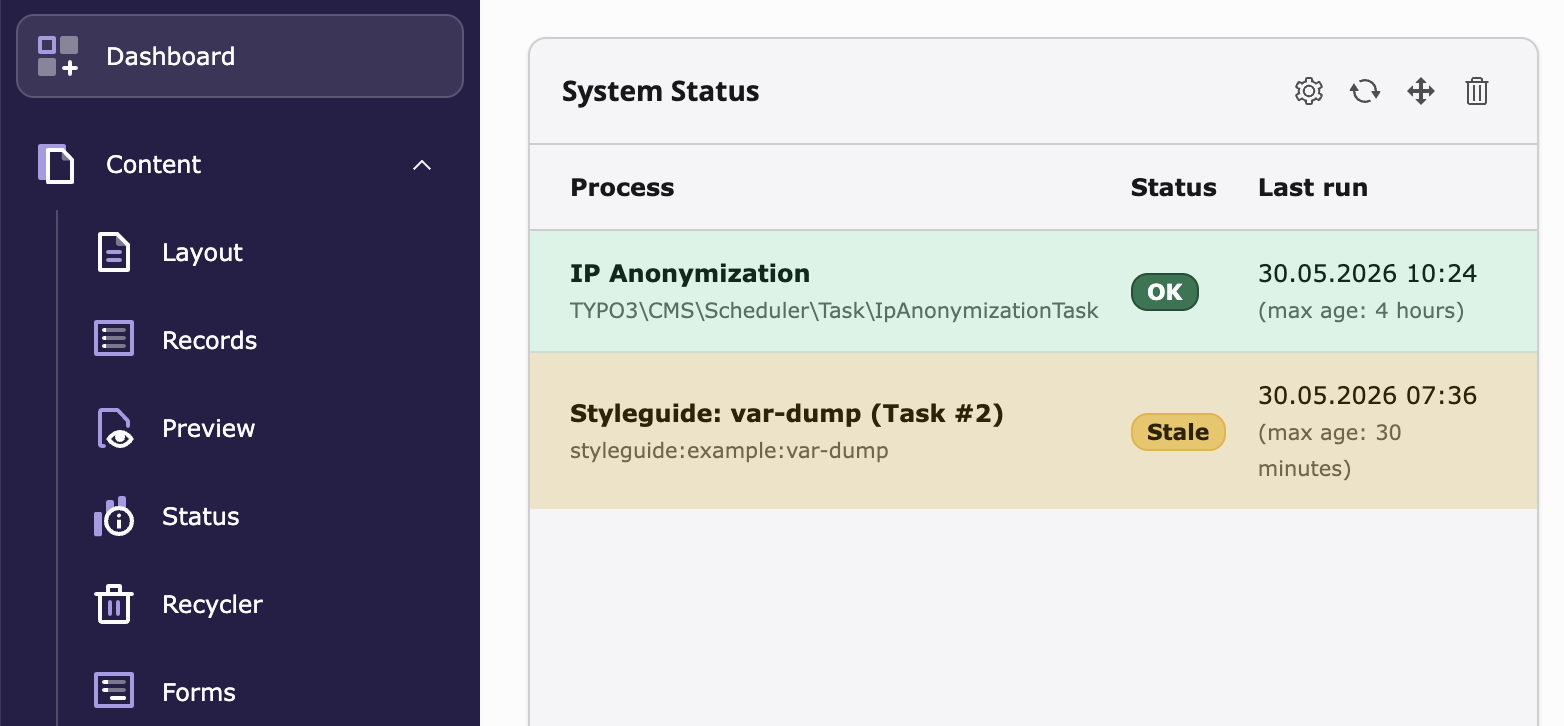
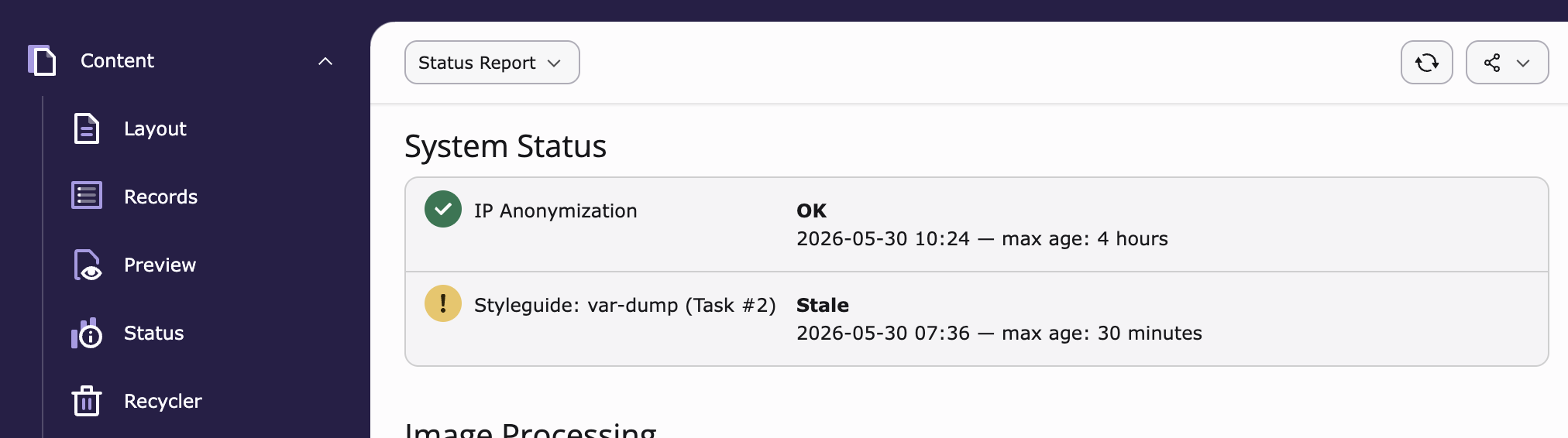
That was the starting point for EXT:f_status, an extension I built during my time at Fonda. It shows in the TYPO3 dashboard and reports module which scheduler tasks are overdue or have failed — exactly the kind of information editors and operators need, without digging through backend logs.
AfterTaskExecutionEvent
AfterTaskExecutionEvent has been part of EXT:scheduler since TYPO3 14.3.3.
The event is dispatched at the end of every task execution, regardless of whether
the task succeeded or threw an exception.
It exposes three pieces of information: the task instance via getTask(), the
success state via isSuccess(), and any thrown exception via getException().
EXT:f_status as a concrete example
EXT:f_status uses the event to track scheduler task status in the dashboard.
If you have your own extension running tasks, you can provide entries via a
StatusReporter interface:
<?php

declare(strict_types=1);

namespace GeorgRinger\SitePackage\StatusReporter;

use Fonda\FStatus\StatusReporterInterface;
use TYPO3\CMS\Scheduler\Task\IpAnonymizationTask;

class IpStatusReporter implements StatusReporterInterface
{
    public function getIdentifier(): string
    {
        return IpAnonymizationTask::class;
    }

    public function getLabel(): string
    {
        return 'IP Anonymization';
    }

    public function getExpectedMaxAge(): ?\DateInterval
    {
        return \DateInterval::createFromDateString('4 hours');
    }
}
The class is auto-discovered via dependency injection — no additional entry in
Services.yaml needed.
Open-Source Love
That is the beauty of open source: you can change things you actually need.